For the Mac

A manga reader made for the Mac

Yomu is a Mac app, not a website in a window. Read manga, webtoons and comics on a large screen, and carry on from the same page on your iPhone or iPad.

What you get

  • Built for a big screen Two-page spreads, right to left or left to right, and top to bottom for webtoons.
  • Turn pages from the keyboard Use the arrow keys, or click.
  • Your files and your server Open CBZ, CBR, PDF and EPUB files, shared folders on your network, or a Komga or Kavita server.
  • One library on every device Your library and your place follow you to your iPhone and iPad through iCloud, with no account to create.
  • Panel by panel Auto Zoom moves through a page one panel at a time.
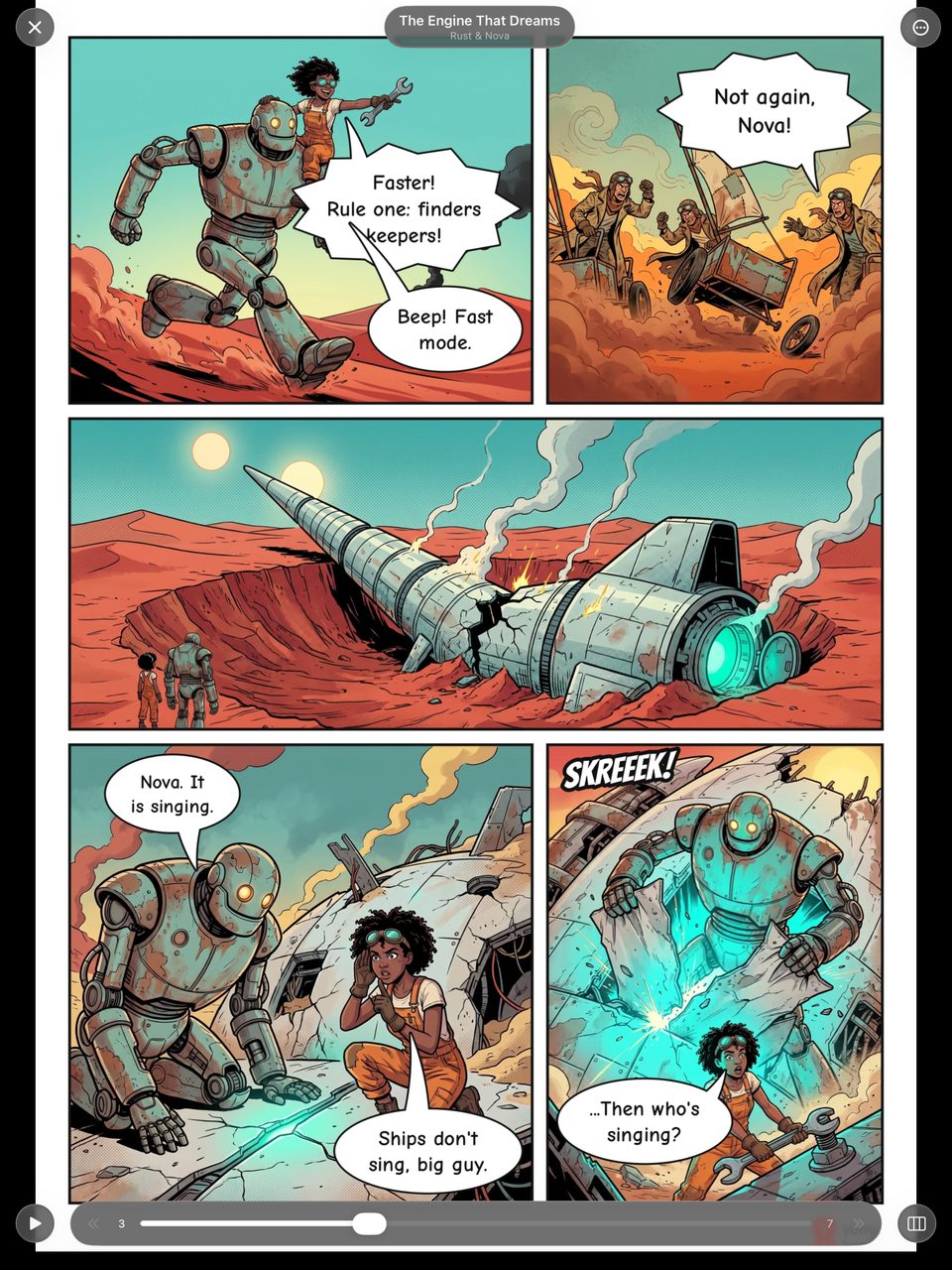
A comic page and reader controls in Yomu

Start reading

  1. Get Yomu from the Mac App Store.
  2. Add a folder of comics, or connect your server in Browse.
  3. Click a cover and read.

Yomu is free to download. iCloud sync, server connections and Auto Zoom are part of Yomu Premium.

FAQ

Frequently asked questions

Is Yomu a native Mac app?

Yes. It comes from the Mac App Store and needs macOS 14 or later.

Do I have to buy it again for my iPhone?

No. Yomu is one app for iPhone, iPad and Mac, and a Yomu Premium subscription covers all three.

Can it read right-to-left manga?

Yes. Reading direction is set per series.

Start reading.

Free to download. No account required.