For your own files

A CBZ and CBR reader for iPad, iPhone and Mac

Yomu opens the comic and manga files you already have and turns a folder of them into a library with covers, series and your place in each.

What you get

  • The files you have CBZ, CBR, ZIP, RAR, 7z, TAR, PDF and EPUB, and plain folders of images.
  • From wherever they are The Files app, iCloud Drive, or a shared folder on your network.
  • A library, not a file list Covers, series and reading progress. Yomu reads the details stored in your files when they have them.
  • Send files between devices Move files from one device to another over Wi-Fi.
  • A reader for every kind of page Right to left for manga, top to bottom for webtoons, left to right for comics.
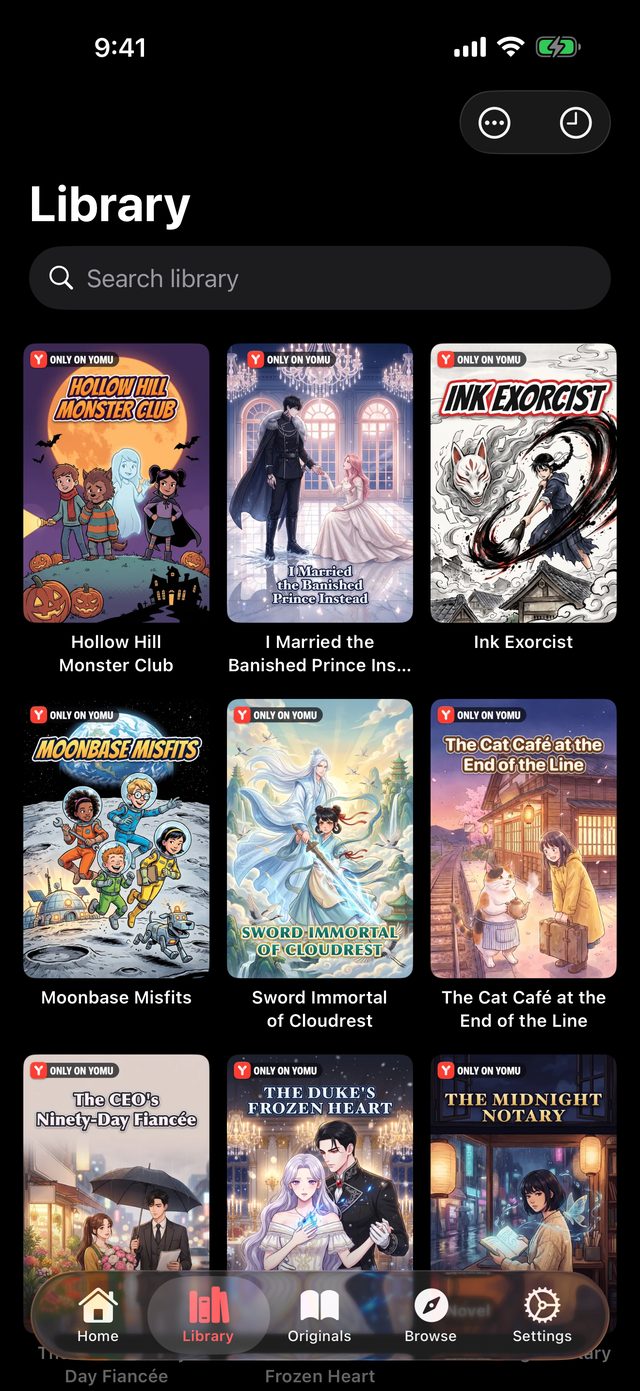
A manga library in Yomu on iPhone

Open your first file

  1. Get Yomu from the App Store on your iPad, iPhone or Mac.
  2. Add a file or a folder from the Files app, iCloud Drive or a network share.
  3. Tap a cover and read.

Reading your own files is free. Some reader options, and some ways to connect, are part of Yomu Premium.

FAQ

Frequently asked questions

Which file types does Yomu open?

CBZ, CBR, ZIP, RAR, 7z, TAR, PDF and EPUB files, and folders of images.

Can it read files on a NAS?

Yes. Yomu opens shared folders on your network and reads from them directly.

Does it read ComicInfo.xml?

Yes. Yomu reads the details in ComicInfo.xml, and a series.json file and cover image placed in a series folder.

Is there a Mac version?

Yes. Yomu is a Mac app as well as an iPhone and iPad app.

Start reading.

Free to download. No account required.